
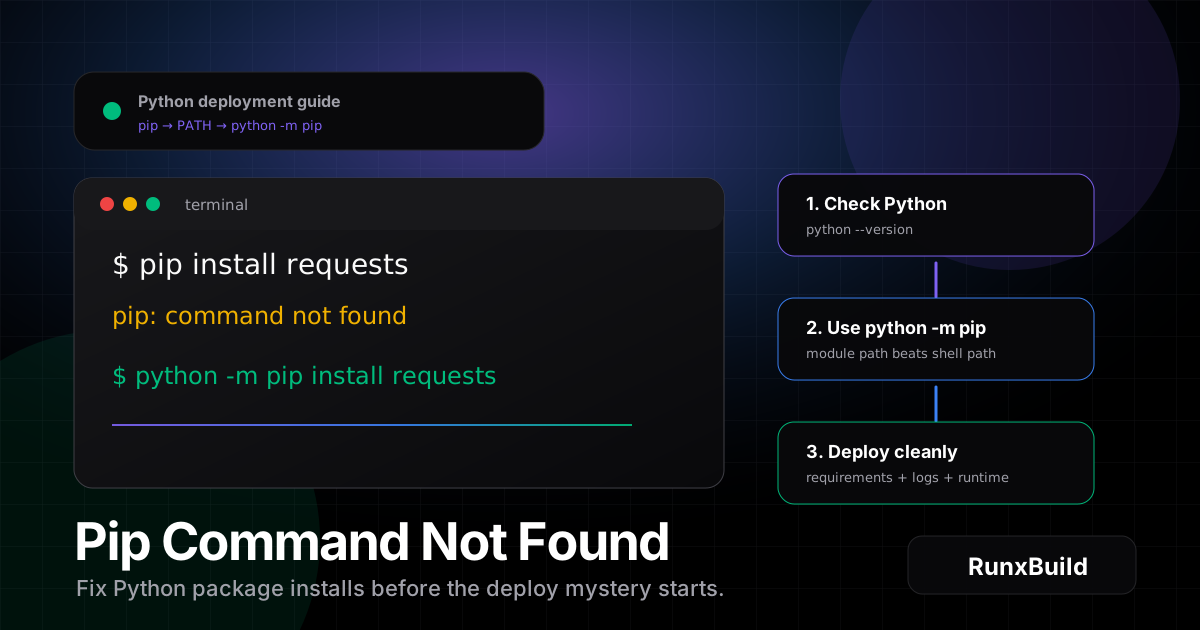
pip command not found means your shell cannot find the pip executable. The fastest fix is to run python -m pip --version or python3 -m pip --version. If that works, use python -m pip install package-name. If it does not, install pip for your operating system, then add Python’s Scripts or bin directory to PATH.
The error is annoying because it looks like Python is broken when the real problem is usually smaller: pip is missing, installed under pip3, tied to a different Python version, or installed but invisible to the terminal. A package manager that cannot be found is not dramatic infrastructure failure. It is a signpost with bad handwriting.
Table of contents
- Quick fix
- What pip command not found means
- Check whether Python and pip are installed
- Fix pip command not found on Windows
- Fix pip command not found on macOS
- Fix pip command not found on Linux
- Use python -m pip instead of plain pip
- Fix PATH without guessing
- Virtual environments and deployment
- Common causes checklist
- FAQ
Quick fix
Try these commands first:
python -m pip --version
python -m pip install requests
On systems where Python 3 is exposed as python3, use:
python3 -m pip --version
python3 -m pip install requests
If those commands work, pip is installed. Your shell just does not know the standalone pip command. Keep using python -m pip or repair PATH later.
If pip is not installed, install it with the option for your operating system:
# Ubuntu/Debian
sudo apt update
sudo apt install python3-pip

# Fedora
sudo dnf install python3-pip

# macOS with Homebrew
brew install python

# Windows, after installing Python from python.org
py -m ensurepip --upgrade
py -m pip --version
After that, install packages from the same Python runtime your app will use:
python -m pip install -r requirements.txtThat small detail matters. If you install packages into one Python and run the app with another, your next error is usually ModuleNotFoundError. The mystery simply changes costumes.
If you are preparing a Python API for hosting, keep the deploy path repeatable: commit requirements.txt, set the Python service settings clearly, and watch build logs. RunxBuild’s Python service documentation is the clean path when you want the app, its dependencies, logs, and route in one place.
What pip command not found means
pip is Python’s package installer. It downloads and installs packages from the Python Package Index and other configured package indexes. The official pip installation guide explains the supported installation paths, including ensurepip and distribution packages.
When the terminal says pip command not found, it means the shell looked through the directories in PATH and did not find an executable named pip.
That can happen even when Python is installed.
Common forms of the error include:
bash: pip: command not found
zsh: command not found: pip
'pip' is not recognized as an internal or external command
pip: command not found
The wording changes by shell and operating system, but the core problem is the same. The command name is not available from the current terminal session.
The top-ranking pages for this topic usually follow the same format: start with the cause, verify installation, install pip, try pip3, and fix PATH. This guide follows that troubleshooting order and adds the deployment angle many quick fixes skip.
Check whether Python and pip are installed
Before changing PATH or reinstalling Python, check what your machine can actually run.
Run:
python --version
python3 --version
py --version
You do not need all three commands to work. Windows often supports py. macOS and Linux often support python3. Some systems expose python as Python 3, while others do not.
Then check pip through Python:
python -m pip --version
python3 -m pip --version
py -m pip --version
If one of those works, you have a working pip installation. Use the matching command for installs:
python3 -m pip install flaskIf none of those work, pip is missing for the Python runtime you are using.
You can also check the command path:
which pip
which pip3
where pip
where python
Use which on macOS and Linux. Use where on Windows Command Prompt or PowerShell.
The goal is not to collect commands like trophies. The goal is to identify the Python runtime that will run your app and install packages into that runtime.
Fix pip command not found on Windows
On Windows, pip command not found often appears as:
'pip' is not recognized as an internal or external command,
operable program or batch file.
Start with the Python launcher:
py -m pip --version
py -m pip install requests
If that works, you can keep using py -m pip. It is explicit and avoids many PATH problems.
If pip is missing, bootstrap it:
py -m ensurepip --upgrade
py -m pip install --upgrade pip
If Python itself is missing, install Python from the official Python downloads page. During installation, check the option that adds Python to PATH. That checkbox saves future-you from debugging the same thing with different lighting.
If Python is installed but pip still is not recognized, add the Python and Scripts folders to PATH. Typical paths look like this:
C:\Users\YOUR_USERNAME\AppData\Local\Programs\Python\Python312\
C:\Users\YOUR_USERNAME\AppData\Local\Programs\Python\Python312\Scripts\
After editing PATH, close and reopen the terminal. Then test:
pip --version
python -m pip --version
If pip and python -m pip point to different versions, prefer python -m pip. It installs into the Python interpreter you are invoking.
Fix pip command not found on macOS
On macOS, first check Python 3:
python3 --version
python3 -m pip --version
If python3 -m pip works, use it:
python3 -m pip install fastapiIf pip is missing, the most common fix is to install or upgrade Python with Homebrew:
brew install python
python3 -m pip --version
You can also try ensurepip:
python3 -m ensurepip --upgrade
python3 -m pip install --upgrade pip
If the shell still cannot find pip, check where Python installed scripts:
python3 -m site --user-baseUser-level scripts are often under a path like:
~/Library/Python/3.12/binAdd that directory to your shell profile if needed. For zsh, the file is usually ~/.zshrc:
export PATH="$HOME/Library/Python/3.12/bin:$PATH"Then reload the shell:
source ~/.zshrcMany macOS machines have old system Python behavior, Homebrew Python, pyenv, or all three. That is why python3 -m pip is safer than plain pip. It removes one layer of guessing.
Fix pip command not found on Linux
On Linux, the package name depends on the distribution.
For Ubuntu or Debian:
sudo apt update
sudo apt install python3-pip
python3 -m pip --version
For Fedora:
sudo dnf install python3-pip
python3 -m pip --version
For Arch:
sudo pacman -S python-pip
python -m pip --version
For Alpine:
apk add py3-pip
python3 -m pip --version
If your system has Python but not pip, ensurepip may work:
python3 -m ensurepip --upgrade
python3 -m pip install --upgrade pip
Some Linux distributions protect system Python packages. If you see an externally managed environment error, do not force global installs by default. Create a virtual environment instead:
python3 -m venv .venv
source .venv/bin/activate
python -m pip install -r requirements.txt
That pattern keeps app dependencies away from system packages. It also matches deployment better, because your app should declare its dependencies instead of relying on whatever happens to be installed globally.
Use python -m pip instead of plain pip
The most reliable command is usually:
python -m pip install package-nameor:
python3 -m pip install package-nameThis tells Python to run the pip module from that interpreter. It avoids a common mismatch:
pip install flask
python app.py
# ModuleNotFoundError: No module named 'flask'
That happens when pip installs into one Python environment and python runs another.
The module form also makes scripts easier to understand:
python -m pip install --upgrade pip
python -m pip install -r requirements.txt
python -m pytest
The command reads like: use this Python to run this module. Less magic, fewer broken installs.
For production projects, avoid depending on ad hoc local installs. Use a dependency file:
python -m pip freeze > requirements.txtThen deploy from the file:
python -m pip install -r requirements.txtIf your project is moving from local machine to hosted service, RunxBuild can build from your repository and expose deploy logs so you can see dependency installation instead of guessing. Connect the repo through the GitHub deployment flow, configure the service, and keep the install command visible.
Fix PATH without guessing
PATH is a list of directories your shell searches when you type a command. If pip exists but its directory is not in PATH, the shell cannot find it.
Find pip through Python:
python -m pip --versionThe output usually includes a path, such as:
pip 24.3.1 from /usr/lib/python3/dist-packages/pip (python 3.12)Then check where scripts install:
python -m site --user-base
python -m site --user-site
On Linux, user scripts often live in:
~/.local/binAdd it to PATH:
export PATH="$HOME/.local/bin:$PATH"For a permanent zsh or bash fix, add that line to ~/.zshrc, ~/.bashrc, or the profile file your shell uses.
On Windows, add the Python installation directory and its Scripts directory to the user PATH environment variable. Then restart the terminal. Do not keep testing in the old terminal window; it will not always reload the new environment.
PATH fixes are useful, but they are not always necessary. If python -m pip works, you can keep shipping with it.
Virtual environments and deployment
For real apps, a virtual environment is cleaner than global pip installs.
Create one:
python3 -m venv .venv
source .venv/bin/activate
python -m pip install --upgrade pip
python -m pip install fastapi uvicorn
python -m pip freeze > requirements.txt
On Windows PowerShell:
py -m venv .venv
.\.venv\Scripts\Activate.ps1
python -m pip install --upgrade pip
python -m pip install fastapi uvicorn
python -m pip freeze > requirements.txt
Commit requirements.txt. Do not commit .venv.
When you deploy, the platform should recreate the environment from source. That is the difference between a reproducible service and a lucky laptop.
For a Python web service, the pieces are usually:
- a repository with app code
requirements.txtor another dependency file- a build/install command
- a start command such as
uvicorn main:app --host 0.0.0.0 --port $PORT - environment variables for secrets and configuration
- logs for failed imports, missing modules, and startup errors
RunxBuild’s service hosting docs are built around that flow: deploy the service, set the runtime, watch logs, add domains, and scale when the project grows. If you are comparing local setup against hosted cost, use the RunxBuild hosting calculator before you pick an instance. It is a quiet nudge toward boring math, which is the good kind of infrastructure decision.
Common causes checklist
Use this list when you need the shortest route from error to fix.
| Cause | What to try |
|---|---|
| pip is not installed | python -m ensurepip --upgrade or install python3-pip |
Python is installed as python3 | python3 -m pip install package-name |
| Windows PATH is missing Scripts | Add Python312 and Python312\Scripts to PATH |
| macOS has multiple Python installs | Use python3 -m pip and check Homebrew or pyenv |
| Linux blocks global installs | Create a virtual environment with python3 -m venv .venv |
pip installs into the wrong Python | Use python -m pip, not plain pip |
| Package works locally but not in deploy | Commit requirements.txt and check build logs |
| Docker image lacks pip | Install pip in the Dockerfile or use a Python base image with pip |
If you are deploying with Docker, the fix belongs in the image, not in a manual shell session. RunxBuild supports Docker service deployments, so keep the Dockerfile explicit and let the build logs show exactly where dependency installation succeeds or fails.
Extra checks most quick guides skip
Check the pip version before upgrading everything
Do not upgrade every tool just because one command failed. First identify the active runtime:
python -m pip --version
python -c "import sys; print(sys.executable)"
If the executable path is not the Python you expected, fix that first.
Check your start command
A deployment can pass build and fail at start if the app runs with a different command than your local test.
For example:
python -m pip install -r requirements.txt
python app.py
is not the same as:
python3 -m pip install -r requirements.txt
python app.py
Keep the interpreter consistent across install and start.
Check the package name
pip command not found is about the installer. ModuleNotFoundError is about the package import. No matching distribution found is about package availability, Python version, platform wheels, or the package name itself.
Do not fix all three errors the same way. That is how debugging becomes a loop with furniture.
FAQ
How do I fix pip command not found?
Run python -m pip --version or python3 -m pip --version first. If that works, use python -m pip install package-name. If it does not, install pip with your OS package manager, ensurepip, or a fresh Python install.
Why is pip not recognized even though Python is installed?
Python can be installed without the standalone pip command being available in PATH. Pip may also be installed as pip3, tied to another Python version, or located in a Scripts directory your shell does not search. Use python -m pip to bypass most PATH confusion.
Should I use pip or pip3?
Use the command that matches the Python runtime for your app. On many macOS and Linux systems, pip3 points to Python 3. The safer option is python3 -m pip because it makes the interpreter explicit.
How do I install pip on Linux?
On Ubuntu or Debian, run sudo apt update and sudo apt install python3-pip. On Fedora, run sudo dnf install python3-pip. On Arch, run sudo pacman -S python-pip.
How do I add pip to PATH on Windows?
If pip is not recognized, add your Python install folder and its Scripts folder to the user PATH variable. Common paths are C:\Users\YOUR_USERNAME\AppData\Local\Programs\Python\Python312\ and C:\Users\YOUR_USERNAME\AppData\Local\Programs\Python\Python312\Scripts\. Restart the terminal after editing PATH.
Why does python -m pip work but pip does not?
python -m pip runs pip as a Python module through the interpreter you selected. The plain pip command depends on a standalone executable being discoverable in PATH. If PATH is missing the scripts directory, python -m pip can work while pip fails.
Should I install packages globally or in a virtual environment?
Use a virtual environment for app projects. Global installs can conflict with system packages and other projects. A virtual environment plus requirements.txt gives you a cleaner local setup and a more predictable deployment.
Why does deployment fail after I fixed pip locally?
Local fixes do not automatically change the deployment environment. Commit your dependency file, make the build command install it, and check deploy logs for the Python version and install output. On RunxBuild, keep the runtime, environment variables, and logs close so missing-package errors are visible during the build instead of after users find them.